Terraform Installation
What is Terraform?
- Terraform is an Infrastructure as code tool that allows you to build change, and version infrastructure safely and efficiently.
Installation Process:
Download the Terraform from the official website on your Windows laptop
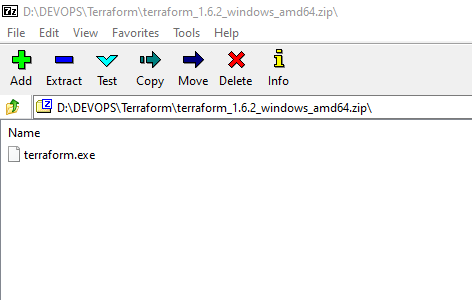
Create a new folder called "Terraform" and move the downloaded Terraform zip folder to this location.
Unzip the Terraform zip folder
The unzip terraform zip folder contains a terraform executable, move that executable to the Terraform folder.
Delete the zip folder or the other things in this folder except the Terraform executable
Now open the command prompt in this location and type terraform -version
It will should show the same version that you have downloaded from the official terraform website.
Adding Providers
As we have installed the Terraform, now we need to install the Terraform providers such as Azure or AWS etc...
Let's take Azure
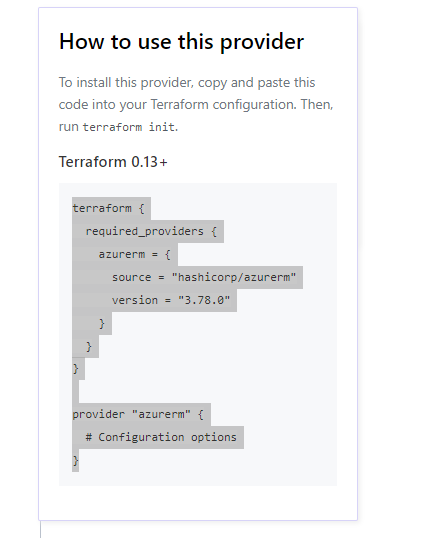
copy the terraform code from the terraform providers --> Azure provider as shown below
Bring up the VSCode, if you have not installed it, it can be installed from https://code.visualstudio.com/download
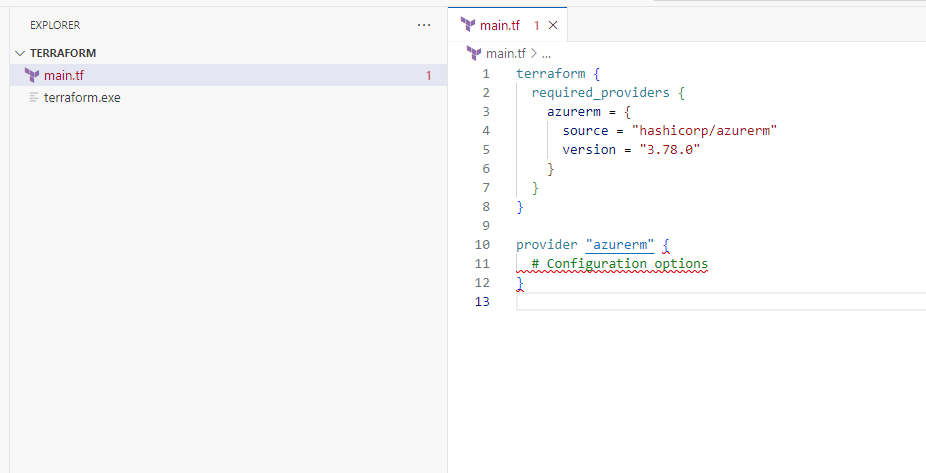
Now, open the folder that you have created for the terraform previously.
Create a File there with the name main.tf (.tf means terraform extension)
Paste the Azure Provider code in the main.tf file and save it.
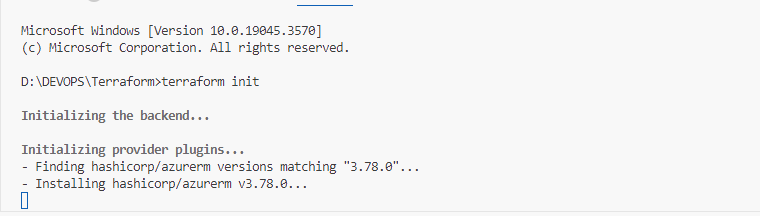
Now open the terminal --> cmd prompt in the vs code. Navigate to that folder and run the command terraform init
This will automatically download the Azure provider and get the provider ready as shown below:
Happy Terraforming!!